Background
You started this week by looking at an analysis you needed to replicate. Since then, you wrote some spaghetti code and started refactoring your analysis. You took steps towards a collaborative, reproducible analysis by:
Organizing your folders and files
Tracking tasks using GitHub Issues
Isolating changes in branches
But most of your analysis is still in a spaghetti state…
Goals
In this session, you’re going to convert your spaghetti code into a reproducible Quarto document. Then you’ll use GitHub Pages to share your results.
For this session, the most important goals are:
Create a Quarto document in
paper/Render the Quarto document to HTML in
docs/Enable GitHub Pages to share your analysis online
You do not need to accomplish any of the following yet. We’ll keep working towards them this afternoon and tomorrow morning.
Implement your entire analysis in Quarto
Meet all of the final project specs
Instructions
Convert to Quarto
The FlukeAndFeather Workflow Organization System™ puts the manuscript Quarto document in the paper/ folder and renders it to the docs/ folder. Why docs/? Because GitHub Pages looks for web pages in the docs/ folder. You’ll see exactly how in the next section..
Make sure you’re on the main branch before proceeding.
- Create a Quarto document in
paper/calledpaper.qmd. - Add markdown headers for Background, Data, Methods, and Results.
- Migrate your spaghetti code to code chunks under the appropriate headers.
In Quarto documents, all text is interpreted as markdown unless it’s inside a code chunk. Code chunks look like this:
```{r}
your_code <- goes(here)
```- Add markdown text as appropriate to explain your replication.
Don’t render just yet. First we need to set up GitHub Pages.
Set up GitHub Pages
- Let’s tell your Quarto document you want the outputs in your
docs/folder. In yourpaper/folder, create a file called_quarto.yml1. Add the following lines:
project:
output-dir: ../docs- Render
paper.qmd. Verify it createdpaper.htmlindocs/. - Navigate to your repo on GitHub. Go to Settings > Code and automation > Pages.
- Change your Branch settings to match the image below. Choose the
mainbranch,/docsdirectory, and hit Save.
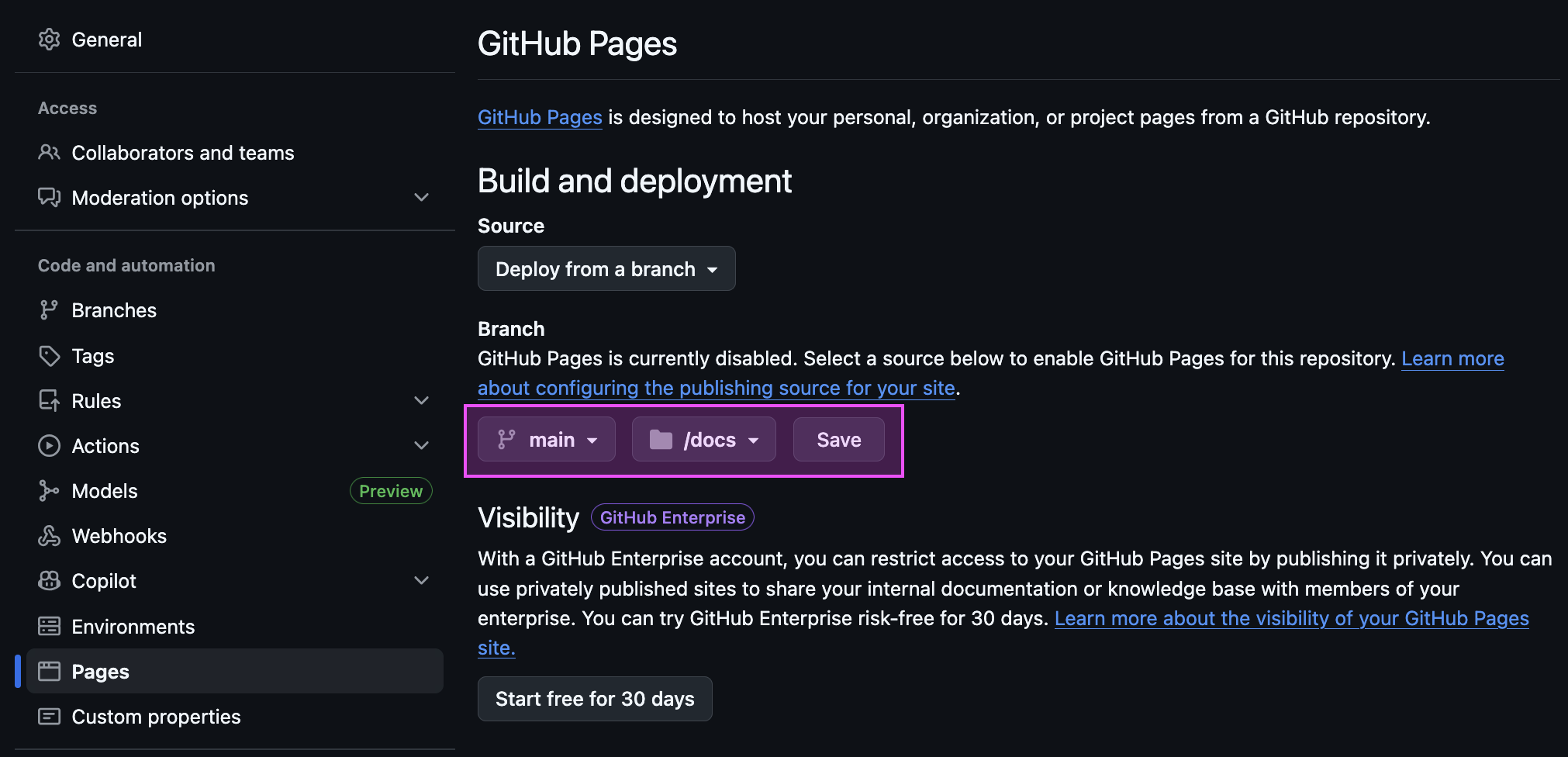
- Go back to Positron. Commit and push your changes.
- Now go back to your GitHub repo. Switch from Settings to Actions. You should see workflow run(s) deploying your Pages site, similar to the screenshot below.
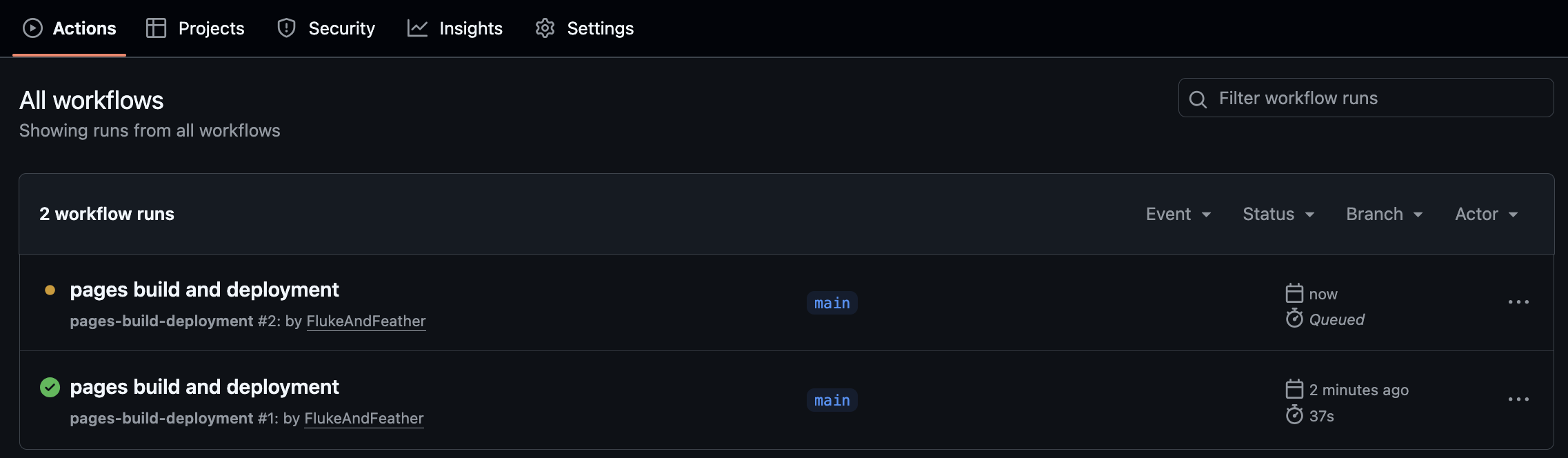
- When the workflow(s) are all green, navigate your browser to <your username>.github.io/<reponame>/paper.html. You should see your analysis rendered in all its glory.
Footnotes
Try doing it at the command line!↩︎